Review Claude Code changes on your iPhone before approving
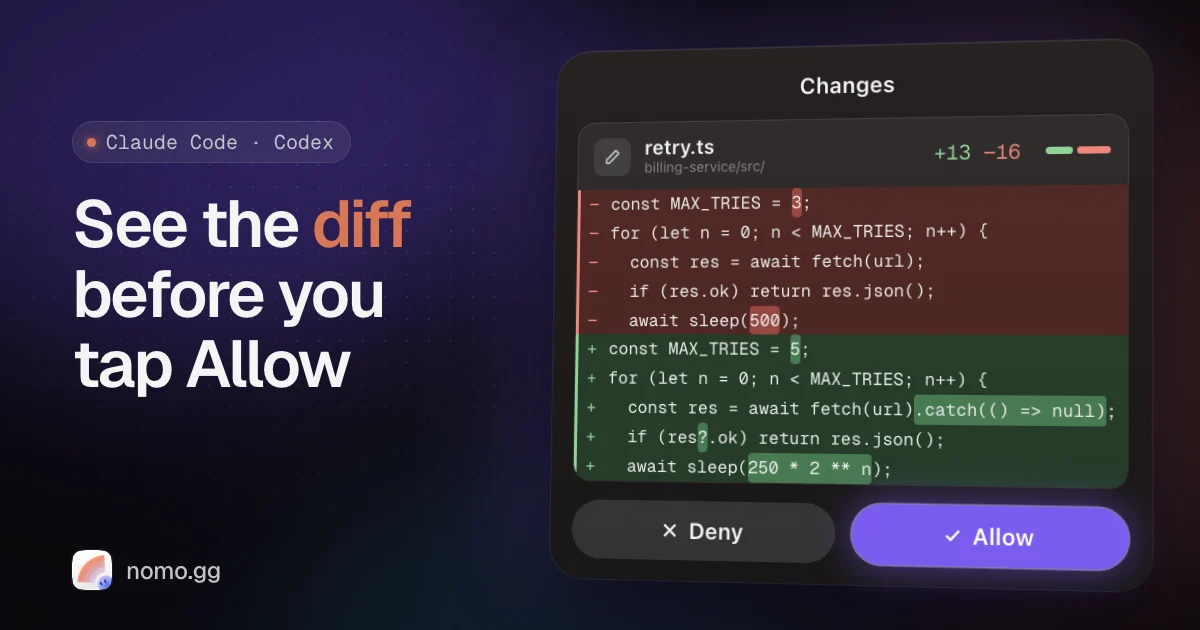
To review Claude Code changes on your iPhone before approving them, the diff has to come with the permission request. At your desk the prompt shows you the edit. Most phone routes show only a file name, or show changes after they're written. With Nomo 2.4.2 and its plugin, a Claude Code edit (or a Codex apply_patch) lands on your Lock Screen with its size, like +13 −16. Touch and hold it in the app to see each file, tap Review changes to read every red and green line, then tap Allow or Deny.
Below: why "Allow" on a phone is often a guess, what each remote option really shows you, and how to set up the diff view.
Why approving an edit blind is a problem#
In its default mode, Claude Code asks before it edits a file (Anthropic's permission modes). At the computer that's an easy call: the prompt shows the old lines and the new ones, and you say yes or no.
On a phone, the same prompt often shrinks to Edit retry.ts. That tells you which file, not what happens to it. A rename of one variable and a rewrite of the whole retry loop look identical. So you either tap Allow and hope, or walk back to the desk, which is the thing you were trying not to do.
Being able to see the diff on my phone is honestly my favourite part: I can make sure I know exactly what's changing before I say yes, haha.
Codex is a little different. In OpenAI's recommended Auto preset, it edits files inside the workspace without asking at all, and asks for edits outside the workspace or when it runs read-only (Codex approvals and security). Fewer prompts, but the ones you do get tend to touch something outside the project, which is exactly when you want to read the patch.
What each phone option shows you#
There are five realistic ways to check an agent's code from a phone. They differ mainly in when you see the change. As of November 2026:
| Before you approve | Needs | |
|---|---|---|
| Remote Control (Claude app) | Not documented | claude.ai plan, git repo |
| Codex on mobile (ChatGPT app) | Yes, per OpenAI | ChatGPT desktop app, rollout |
| SSH + tmux | Yes, the real prompt | Tailscale or a VPN |
| git diff / pull request | No, afterwards | Letting edits through first |
| Nomo | Yes, every line | Nomo Pro, plugin 2.4.2 |
Remote Control in the Claude app#
Remote Control connects a local Claude Code session to the Claude app, and permission prompts can push to your phone. Anthropic's docs say a connected device gets a diff pane showing your changes when the folder is a git repository: your uncommitted edits, or everything since the branch split from the default branch (Remote Control docs).
That's a view of what's already in your working tree. The docs don't describe a preview of a pending edit inside the permission prompt itself. It also needs a claude.ai sign-in, so API-key users can't use it.
Codex on mobile#
OpenAI's own route pairs the ChatGPT iOS app with the ChatGPT desktop app on a Mac or Windows PC. OpenAI says you can "inspect changed files and diffs from your phone before deciding what happens next" (Codex on mobile). Availability depends on rollout and your workspace settings, and it covers Codex only.
SSH + tmux#
Run the agent inside tmux, reach the computer over Tailscale, and attach from an SSH app. You see the real prompt with the real diff, because it is the terminal. The catch: nothing appears on your Lock Screen when a prompt shows up, and a wide diff wraps badly on a 6-inch screen.
git diff and pull requests, after the fact#
The other honest option is to stop approving edits one by one. Let the agent write (Claude Code's acceptEdits mode, or Codex's Auto preset), then review the result: /diff inside Claude Code, git diff in a terminal, or a pull request in GitHub's app. Undo with git restore <file> if you hate it.
This works well when the agent runs on a branch you can throw away. It's a review of what happened, not a gate before it happens.
How to review Claude Code changes on iPhone with Nomo#
Nomo puts agent sessions on the Lock Screen and in the Dynamic Island. From version 2.4.2, an edit request carries its diff, end-to-end encrypted.
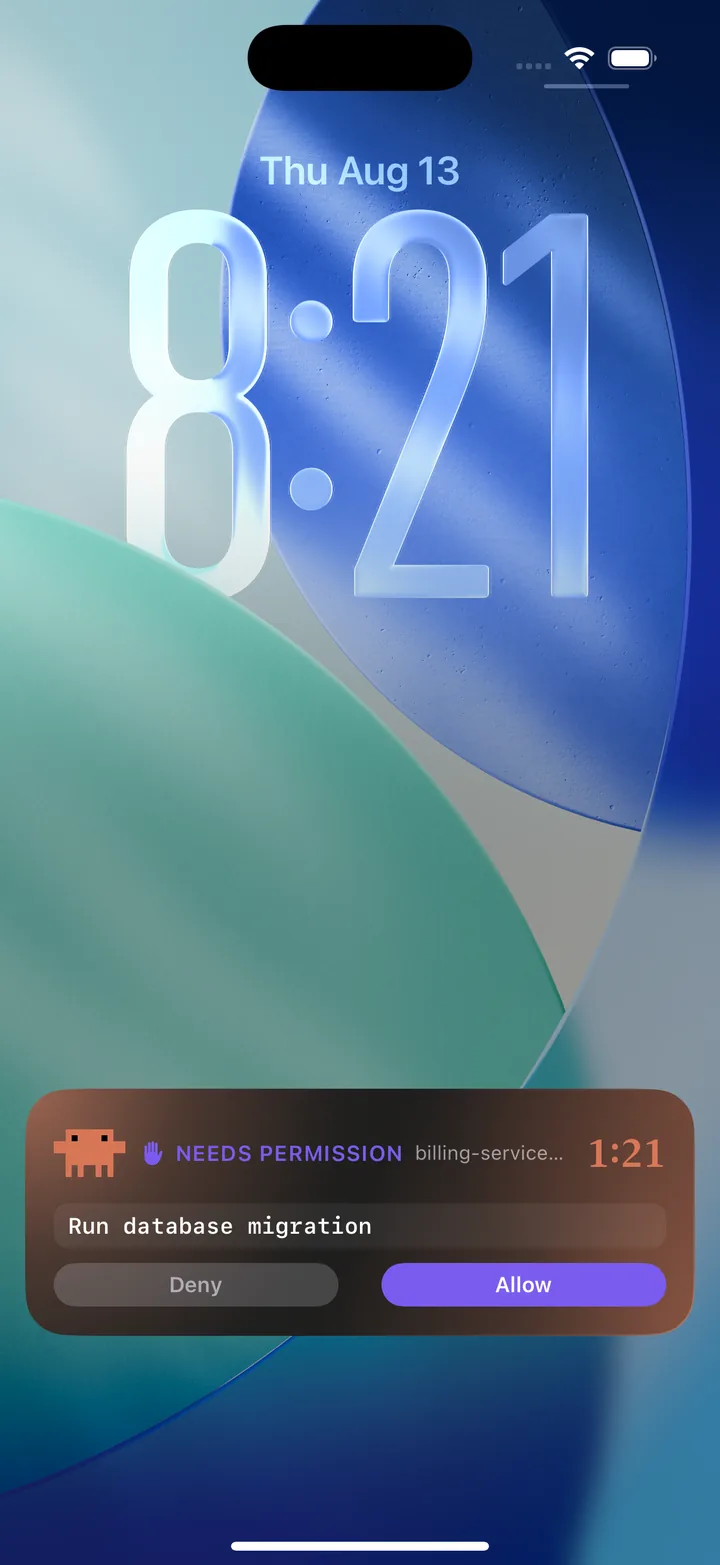
- Glance at the size. The Lock Screen card and the Dynamic Island show the file and how big the edit is:
+13 −16means 13 lines added, 16 removed. A one-line fix and a rewrite no longer look the same. - Touch and hold the session in Nomo. Tap the request to open the app, then touch and hold the session row. The card lists each file that changes with its
+and−counts, and the first lines of the change. - Tap Review changes. The Changes sheet opens. Removed lines are red, added lines are green, and the part of a line that changed is highlighted. Tap a file to open or close it.
- Tap Allow or Deny. The buttons stay at the bottom while you scroll. In the touch-and-hold menu, Deny with note… under More… tells the agent what to do instead.
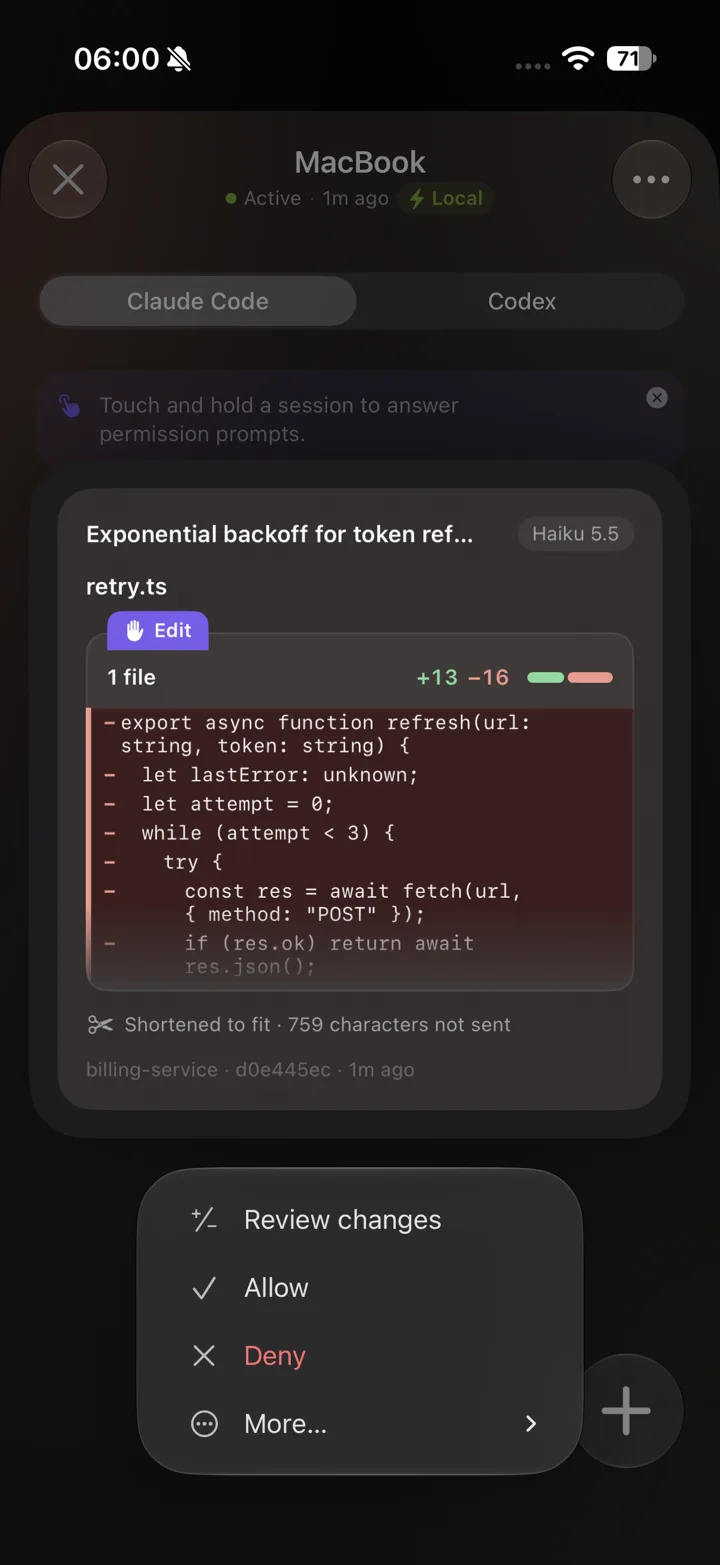
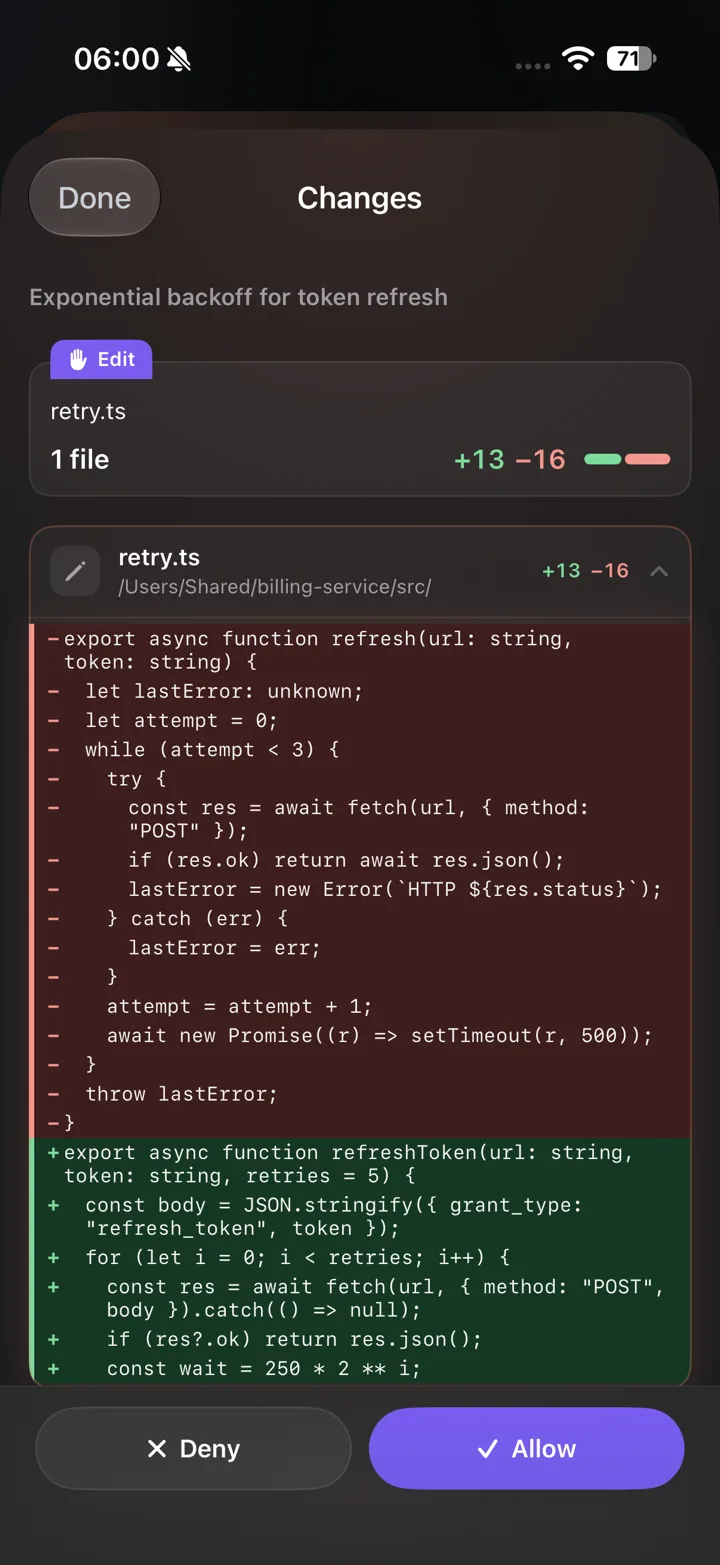
A big change opens as a preview. Tap Show full diff and Nomo pulls the rest from your computer, still encrypted. That works away from your home Wi-Fi too. You can tap Allow or Deny before it finishes loading.
What it covers#
- Claude Code:
Edit,MultiEditandWrite. AWriteover an existing file shows a real diff against the file on disk, for UTF-8 text files up to 2 MiB. Bigger or binary files show the plain request with no diff. - Codex:
apply_patch. The title now readsEdit notes.txtorEdit 2 filesinstead ofapply_patch. - Clearer titles everywhere: an MCP tool request reads like
github · create issue, the server then the tool.
Setting it up#
You need the Nomo app 2.4.2 on the phone and the Nomo plugin 2.4.2 on each computer. With an older plugin, the card looks as it did before, with no list of changes.
- Update the plugin by running
bunx nomo-aiagain. An agent that already has Nomo shows up as an update (updating, in the docs). - Codex only: after a plugin update, Codex asks you to trust Nomo's hooks again. Type
/hooksand trust them, or choose Trust all and continue when Codex asks as it starts. Until you do, approvals quietly stay in the terminal. - If phone approvals are new to you, pair the computer first and turn on Answer on iPhone, which is off by default.
The first-time setup, pairing included, is in this walkthrough:
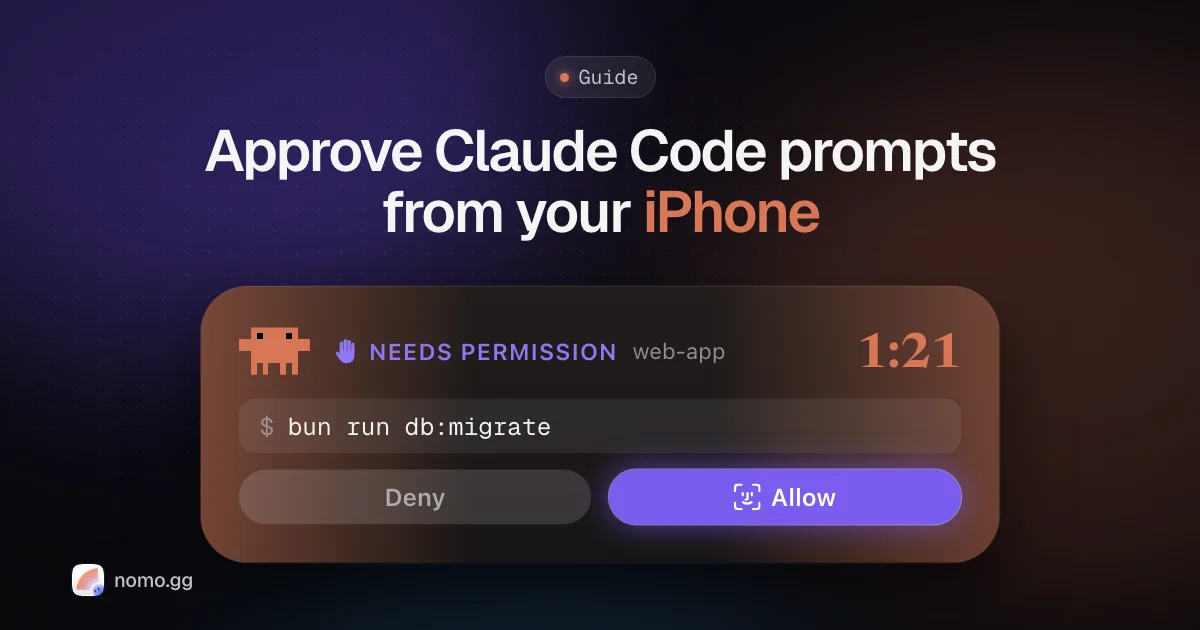 Keep readingHow to approve Claude Code from your iPhoneApprove Claude Code permission prompts from your iPhone: Remote Control, SSH + tmux, or the Lock Screen with Nomo. Plus Codex, OpenCode and Cursor.
Where Nomo fits#
Nomo is for the moment the agent stops and asks. Seeing the code turns that tap from a guess into a decision, for Claude Code and Codex in one place. The diff is end-to-end encrypted like everything else Nomo sends, so the relay server can't read your code.
It doesn't replace a real review. You can read the change and allow or deny it, but you can't edit it or leave line comments from the phone. For a big refactor, a branch and a pull request are still the better tool.
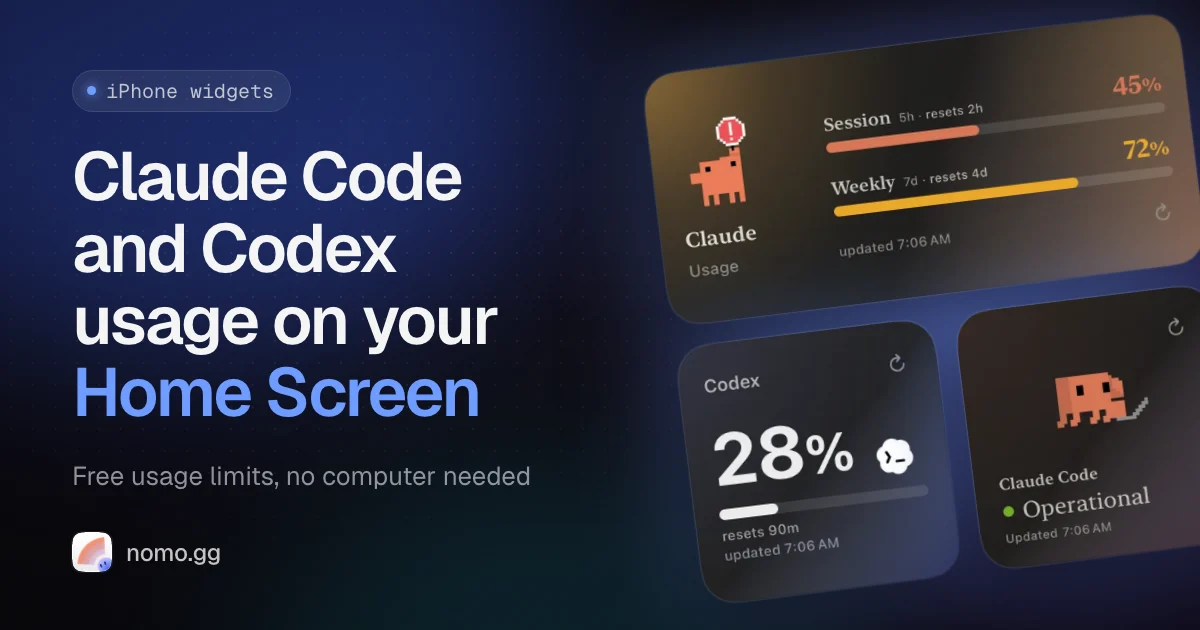
Status, usage widgets and alerts are free. Sessions and answering from the phone, the diff included, are Nomo Pro: $4.99 a month or $34.99 a year, billed by Apple. Get Nomo on the App Store, then read answering from your phone in the docs.
FAQ#
Can I see what Claude Code wants to change before I approve it on my phone?
Yes, if the diff travels with the request. Over SSH you get the terminal's own prompt. With Nomo 2.4.2 and plugin 2.4.2, an Edit, MultiEdit or Write request shows each file's + and − lines, and Review changes opens every line. Anthropic's Remote Control docs describe a diff pane for your git working tree, not a preview inside the permission prompt (as of November 2026).
Why doesn't Codex ask me before most edits?
In OpenAI's recommended Auto preset (workspace write with on-request approvals), Codex edits files inside the workspace without asking. It asks for edits outside the workspace, or when it runs read-only. Those are the apply_patch requests that reach your phone.
Does Nomo's server see my code?
No. The diff is end-to-end encrypted between your computer and your phone, like every other session update. The relay only passes along data it can't read. A big diff is pulled on demand, still encrypted.
What happens with a huge file or a binary file?
When Claude Code overwrites an existing file, Nomo compares it with what's on disk for UTF-8 text files up to 2 MiB. A bigger or binary file shows the plain request with no diff, so you decide on the file name alone, or check it at the computer.
Is this part of Nomo Pro?
Yes. Answering agent requests from the phone, the diff included, is Nomo Pro ($4.99 a month or $34.99 a year). Status, usage widgets and alerts stay free.