How to approve Claude Code from your iPhone
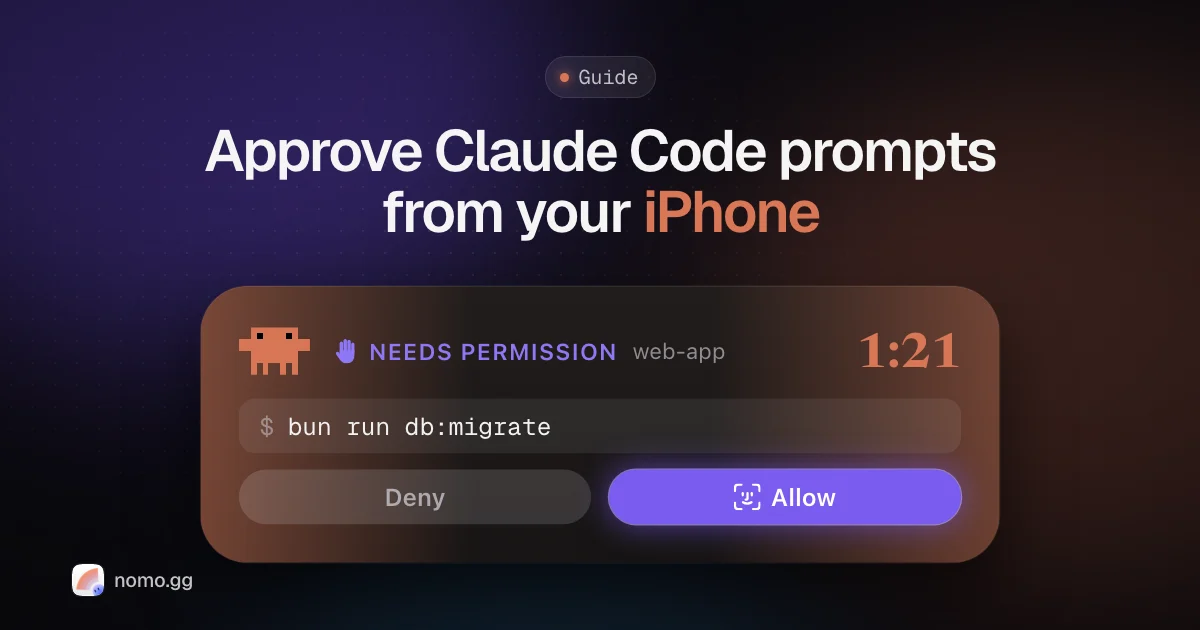
You can approve Claude Code from your iPhone in two practical ways. The built-in one is Remote Control: run /remote-control in a session, scan the QR code with the Claude app, and permission prompts show up there with a push notification. If you'd rather answer from the Lock Screen or Dynamic Island without opening a chat app, Nomo puts the prompt there with Allow and Deny buttons, asks for Face ID before Allow, and does the same for Codex and OpenCode.
Below: why the agent stops at all, every option side by side, and the setup for each of the four agents.
Why Claude Code stops and waits#
In its default mode, Claude Code "stops and asks you before most actions that edit files, run shell commands, or reach the network" (Anthropic's permission modes docs). Reads go through. Everything else waits for a human.
That's a good default. It also means a long task can sit frozen for an hour at Allow this command? while you're making dinner. The fix people reach for, auto-approving everything, trades a stalled task for one nobody is watching.
What you actually want is the prompt in your pocket, so the yes-or-no takes ten seconds wherever you are.
Honestly, that's why I built Nomo. I just wanted long runs to go smoothly without sitting at my desk watching the terminal in case it asked me something.
The ways to approve Claude Code from your iPhone#
There are four realistic setups. They differ in where you answer and what you give up.
| Where you answer | What it needs | Trade-off | |
|---|---|---|---|
| Remote Control (built in) | The Claude app, after a push | A claude.ai Pro, Max, Team or Enterprise plan | Claude Code only; transcript kept on Anthropic's servers |
| SSH + tmux | A terminal app on your phone | SSH, tmux, and Tailscale or a VPN | No Lock Screen alert; typing on a phone keyboard |
| Nomo | Lock Screen, Dynamic Island, or the Nomo app | Nomo Pro, a plugin, one QR scan | Answers what the agent asks; no new instructions |
| Auto-approve | Nowhere | A permissive mode or allow rules | No approval at all; risky outside a sandbox |
None of these move the work off your computer. The agent keeps running there, so the computer has to stay awake.
Remote Control, from the Claude app#
Remote Control connects a local session to the Claude app on iOS and Android. As of October 2026 (Remote Control docs):
- In a running session, type
/remote-control. Or start a server withclaude remote-controland press space for a QR code. - Scan the QR code with your phone. It opens the session in the Claude app.
- Run
/configand turn on Push when actions required, so permission prompts and questions buzz your phone.
It needs a claude.ai login (API keys aren't supported), and while it's connected the session transcript is stored on Anthropic's servers. If you live in the Claude app anyway and only use Claude Code, this is the easy one.
SSH + tmux#
The power-user route: run Claude Code inside tmux on your computer, reach it with Tailscale, and attach from an SSH app on the phone. You get the real terminal, so you can do anything. You also get nothing on your Lock Screen when a prompt appears on its own, and answering means finding the right key on a phone keyboard. Great for steering, clumsy for quick approvals.
From the Lock Screen, with Nomo#
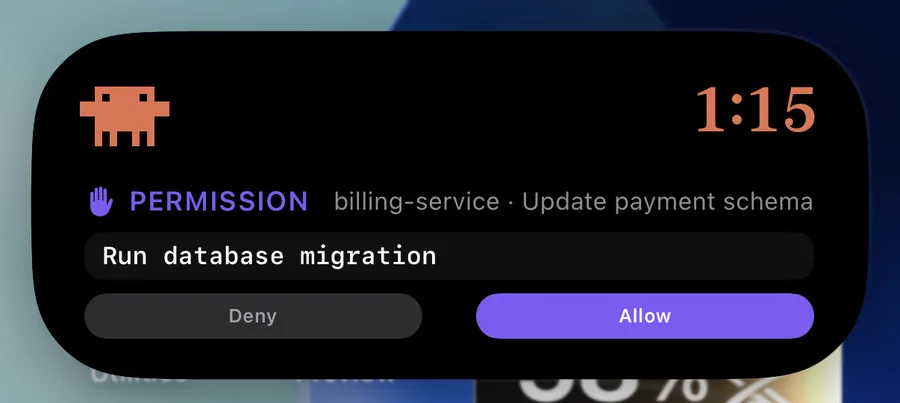
Nomo is an iPhone app (built by the person writing this blog) that mirrors your agent sessions to the Lock Screen and Dynamic Island. When a session asks permission, the card shows what it wants to run, with two buttons.
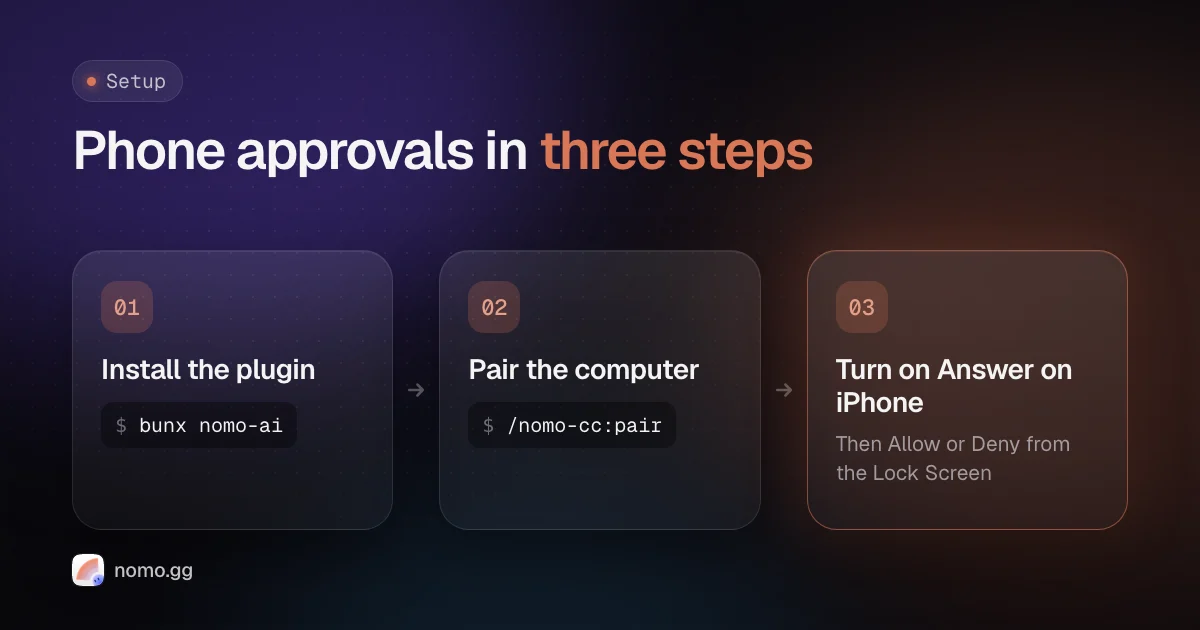
- On the computer, run
bunx nomo-ai(ornpx nomo-ai), pick Claude Code, and restart it. - Run
/nomo-cc:pair. A page opens with a QR code. In the app, go to Sessions → Pair a Computer and scan it. - In the app, turn on Settings → Sessions → Remote approvals → Answer on iPhone. It's off by default, and it's the step people miss.
From then on, a prompt shows up on the Lock Screen and in the Dynamic Island. Deny is one tap. Allow asks for Face ID while your phone is locked (on by default since version 2.3.4). Touch and hold a session in the app for the rest: Always allow for the session, Deny with note…, answering a multiple-choice question, or reading a whole plan before you approve it. The full list is in answering from your phone.
It works away from home with no VPN: updates travel through Nomo's relay, end-to-end encrypted, so the relay only ever holds data it can't read. On the same Wi-Fi it can also go direct over your local network. And if you never answer, the prompt falls back to the normal dialog in your terminal.
Approving Codex from your phone#
OpenAI's own option: Codex on mobile pairs the ChatGPT iOS app with the ChatGPT desktop app on a Mac or Windows PC, and lets you review and approve actions from the phone (Codex on mobile). Availability depends on rollout and workspace settings.
With Nomo: Codex CLI and the Codex desktop app sessions get the same Lock Screen card. A few differences, because Codex exposes less to plugins:
- Allow, Deny and Deny with note… work. There's no Always allow.
- Plans are read-only on the phone. You read the plan, then choose at the computer.
- Answering a Codex question from the phone needs the shared app-server, started before Codex:
codex app-server daemon start. - After installing, run
/hooksin Codex and trust Nomo's entries. Until you do, nothing reaches your phone and nothing reports an error.
Codex sessions running under automatic review or full access never ask anyone, so they never reach your phone either. That's by design. Details in using Codex.
OpenCode on your iPhone#
OpenCode has no official phone app as of October 2026. Nomo plugs into OpenCode's server (CLI and desktop app alike) and puts its prompts on the Lock Screen with Allow, Always allow and Deny.
Two OpenCode quirks are worth knowing. Deny is a decision about the whole turn, so denying one prompt also rejects the others that session was waiting on. And OpenCode asks for less out of the box: shell commands run without asking unless you say otherwise (OpenCode permissions). If you want them on your phone, set them to ask:
{ "permission": { "bash": "ask", "edit": "ask" } }
Put that in .opencode/opencode.json for one project, or ~/.config/opencode/opencode.json for all of them.
Cursor: follow it live, approve at the desk#
Straight answer: you can't approve a local Cursor agent's Run / Skip prompts from an iPhone today. Cursor doesn't expose them to plugins.
What Nomo does for Cursor is follow along. Sessions from the Cursor desktop app and cursor-agent show up live in the Sessions tab and the Dynamic Island, with Cursor's chat title and model, so you know when a turn finishes. Install it with bunx nomo-ai --cursor and restart Cursor.
Cursor's own mobile story is its cloud agents, which you can start and manage from cursor.com/agents or Cursor's iOS app. Those run in Cursor's cloud VMs, not on your computer.
Where Nomo fits#
If the question is "how do I answer my agent without walking back to the desk", Nomo is the Lock Screen answer, for Claude Code, Codex and OpenCode in one place. It's free for status and usage-limit widgets. Sessions and approvals are Nomo Pro, $4.99 a month or $34.99 a year, billed by Apple. It needs iOS 18 or later. It doesn't replace the terminal: it answers what the agent asks, and anything bigger still happens at the computer.
Get Nomo on the App Store, then follow install the plugin and pairing in the docs.
FAQ#
Can I approve Claude Code from my phone without a VPN?
Yes. Claude Code's Remote Control only makes outbound HTTPS requests, and Nomo sends prompts through a relay that can't read them, so neither needs a VPN or an open port. Only SSH + tmux needs a way into your computer, such as Tailscale.
Does Remote Control work with an Anthropic API key?
No. As of October 2026 it needs a claude.ai sign-in on a Pro, Max, Team or Enterprise plan. Nomo's plugin runs inside Claude Code on your computer and doesn't ask for a claude.ai sign-in.
What happens if I don't answer on my phone?
With Nomo, the prompt falls back to the normal dialog in your terminal, and an answer that arrives too late is thrown away rather than applied. Nothing runs because you tapped something twenty minutes ago.
Can I approve Cursor's agent from my iPhone?
Not a local one, yet. Nomo shows Cursor sessions live, but Cursor doesn't expose its Run / Skip prompts to plugins, so you answer them at the computer. Cursor's own app covers its cloud agents.
Is there an Android version of Nomo?
No. Nomo is for iPhone and iPad only (iOS and iPadOS 18 or later).