Devin Bots explained: plans, iMessage and your iPhone
Devin Bots are Cognition's new always-on Devin agents, available since November 17, 2026. You give a Bot an outcome to own, like "own the Android app", and it plans the work, starts a cloud Devin session for each piece, and comes back only for what needs you: decisions, pull requests and permission requests. Bots come with Devin's Max, Teams and Enterprise plans, and you can reach one in the Devin web app, in Slack or by iMessage.
Bots live in Devin's cloud. If your Devin work runs on your own Mac, in the Devin CLI or Devin Desktop, a Bot won't see it. For those sessions, Nomo puts Devin's permission prompts on your iPhone's Lock Screen.
What Devin shipped in November 2026#
Three things changed for anyone who uses Devin away from the desk, all as of November 19, 2026:
- Devin Bots (November 17). Persistent agents that own an outcome and run as many Devin sessions as it takes. Announced in the Devin Desktop changelog and documented in Devin Bots.
- Local sessions that outlive the window (Devin CLI v3000.13.4 on November 16, Devin Desktop 3.13.4 on November 17). Local sessions now run in a background process, so you can close Devin Desktop or the CLI without stopping a session, and open one session in several clients at once (Devin CLI changelog).
- Devin Mobile is still a waitlist. devin.ai/mobile describes an iPhone app for starting cloud sessions, getting a notification when one needs you, and merging the pull request. Today you join a waitlist for early access.
Fortune reported the launch as Cognition's answer to OpenAI's Dots and Anthropic's Duet: agents that keep working for days or weeks instead of one request at a time.
My take: more and more of us want our AI to take the initiative and pick a direction on its own, haha. So of course everyone loves a bot that makes coding, and life, a little easier.
How Devin Bots work#
A Bot is one long chat that owns an outcome and runs as many Devin sessions as the work needs. The pieces, from Devin's docs:
- One chat. You tell the Bot what it owns there, and its reports come back there. After day one, most messages are check-ins like
anything waiting on me? - Child sessions. Each piece of work runs in its own session on its own cloud machine, the same as a session you start yourself.
- Automations. A Bot can run on a schedule or when something happens in your tools, such as a morning summary of open pull requests.
- Memory. It saves your preferences and corrections and uses them later. A shared Bot's memory is shared too.
- Its own access. A Bot holds its own sign-ins and secrets, and asks before it takes new access.
You can start from a template, such as QA Engineer (tests each pull request in a browser), Migration Engineer or Data Analyst, or browse the public Bot marketplace.
What lands in "Needs you"#
Everything a Bot can't handle alone goes into one list, Needs you, opened from the Bot's name at the top of its chat:
| Item | What you do |
|---|---|
| Decision | Pick an option. The Bot marks the one it recommends. |
| Review PR or Merge PR | Review or merge the pull request. |
| Permission request | Approve or reject new access, an automation, a network host or a usage limit increase. |
| Report or FYI | Read it. |
You can also reply in your own words, snooze an item or dismiss it.
Which Devin plans include Bots#
Devin Bots come with Max, Teams and Enterprise. As of November 2026, Devin's pricing page lists:
| Plan | Price | Devin Bots |
|---|---|---|
| Free | $0 | No |
| Pro | $20/month | No |
| Max | $200/month | Yes |
| Teams | from $80/month | Yes |
| Enterprise | Custom | Yes (no iMessage) |
There's no separate Bot price. A Bot's usage is its chat plus every session it starts, and its creator pays (Bot usage limits). On Max, a Bot uses your included quota first, then your on-demand credits, with no separate limit. On Teams, the creator or an admin can set an on-demand cap in dollars.
That included quota is the daily and weekly allowance every paid Devin plan comes with. So a busy Bot spends the same allowance you code with.
How to text a Devin Bot from your iPhone#
Link your number on the Bot's iMessage page once, then text it like a person (Devin Bots in iMessage):
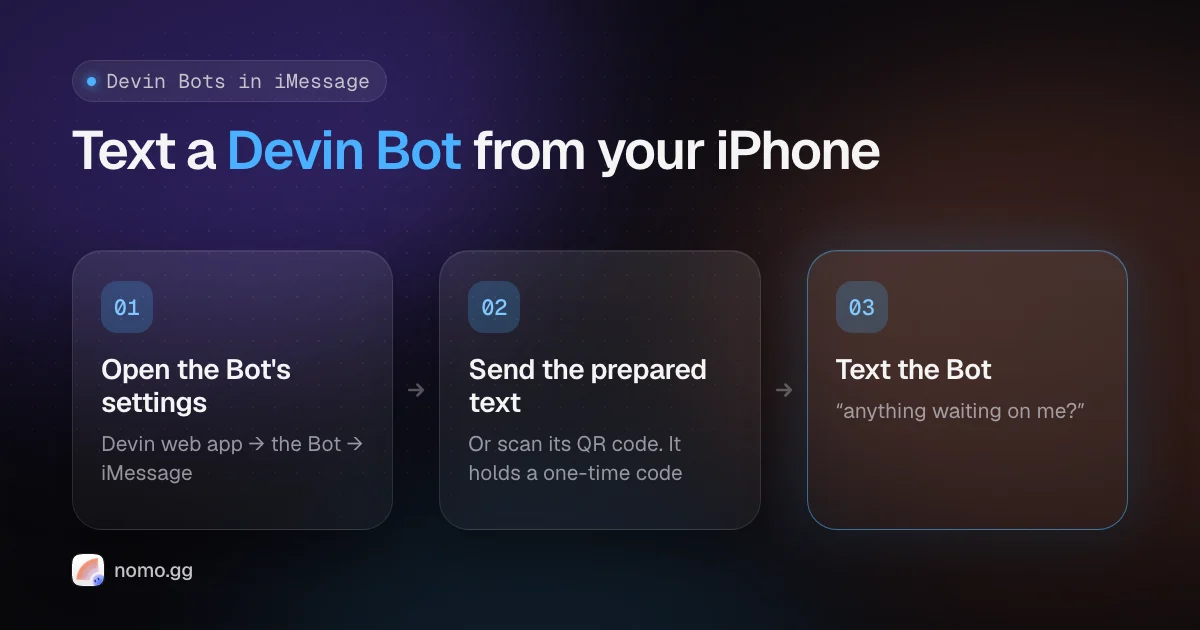
- In the Devin web app, open the Bot's settings and choose iMessage.
- Send the text it prepares, from that device or by scanning the QR code with your iPhone. The text holds a one-time code, so keep it private: anyone who sends it can text the Bot as you.
- Text the Bot from Messages. Your texts and its replies land in the same chat as in the web app, with the same context.
You can link one Bot at a time, you need Can use access to it, and iMessage isn't available on Enterprise plans. For a team, give the Bot its own Slack app instead, so people can @-mention it or DM it (Devin Bots in Slack).
Devin on iPhone: which route for which Devin#
The right route depends on where Devin runs: in Devin's cloud, or on your Mac.
| Route | Reaches | Nov 2026 |
|---|---|---|
| Bot in iMessage or Slack | A Bot's cloud work | Max, Teams |
| Devin web app in Safari | Cloud sessions | Live |
| Devin Mobile | Cloud sessions | Waitlist |
| Nomo | CLI and Desktop on your Mac | Nomo Pro |
Slack also works on Enterprise, and in Safari you can add the Devin web app to your Home Screen with Share → Add to Home Screen (Devin release notes).
None of Devin's own routes answers a prompt from a local devin in your terminal. In the CLI's default Normal mode, reads run on their own, but writes and shell commands wait for you (Devin CLI permissions).
Approving Devin CLI and Desktop prompts from your iPhone#
Nomo 2.5.0 adds Devin. Its sessions show up in the Dynamic Island, on the Lock Screen and in Nomo's Sessions list, and you answer Devin's prompts from there (Nomo Pro). Setup takes a few minutes, once per computer:
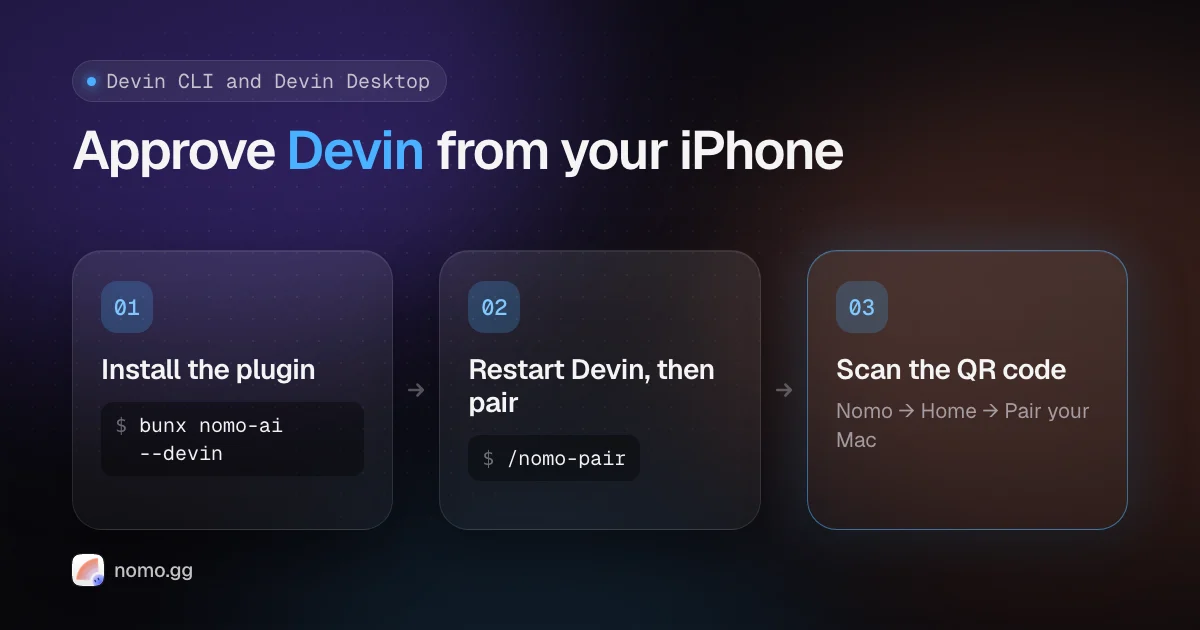
- On your Mac, run
bunx nomo-ai --devinin Terminal. No Bun? Usenpx nomo-ai --devin. - Close every open
devinand start it again. Using Devin Desktop? Quit it and open it again too. - In
devin, type/nomo-pair. If Devin asks to run a Nomo command, allow it. A QR code opens in your browser. - In Nomo, tap Pair your Mac on Home and scan it.
- Send Devin any message. The session appears under the Devin tab of your computer.
Prefer Devin's own plugin system? devin plugins install KarrixLee/nomo works too, and the commands then start with /nomo: (so /nomo:pair). Install one or the other, not both.
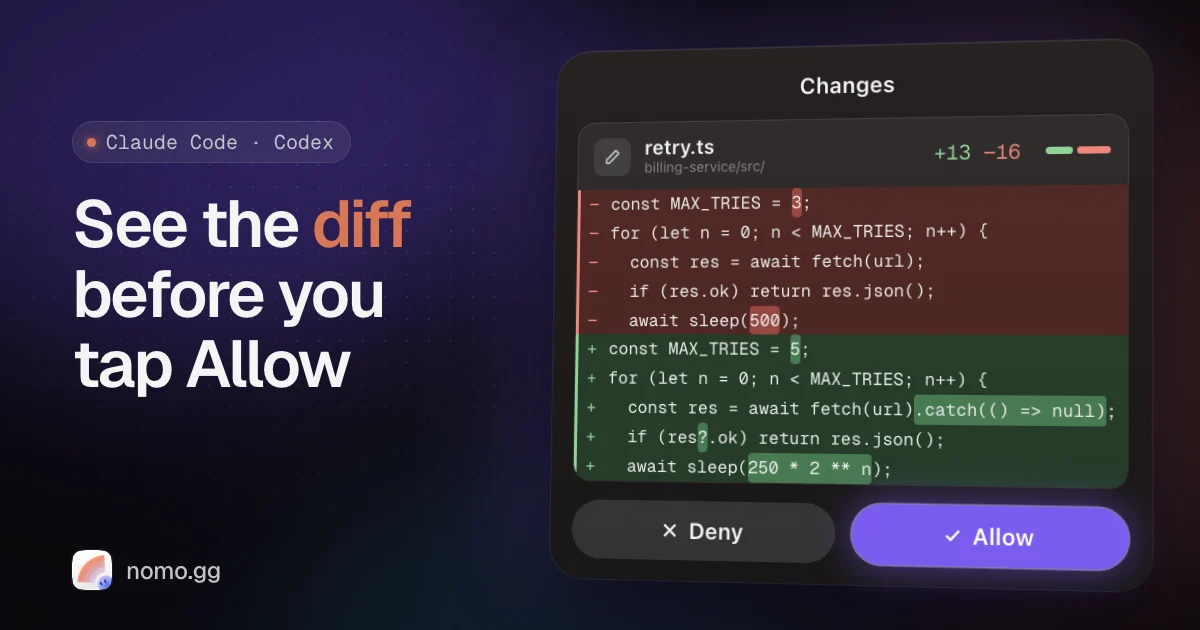
When Devin asks to run a command, touch and hold the session, or use the island. You get four answers: Allow, Always allow … (this session), Deny and Deny with note…, and with your iPhone locked, Allow asks for Face ID first. Always allow names exactly what it covers, such as bun test commands, and a chained command like touch x && rm -rf ~ still comes to your phone every time.
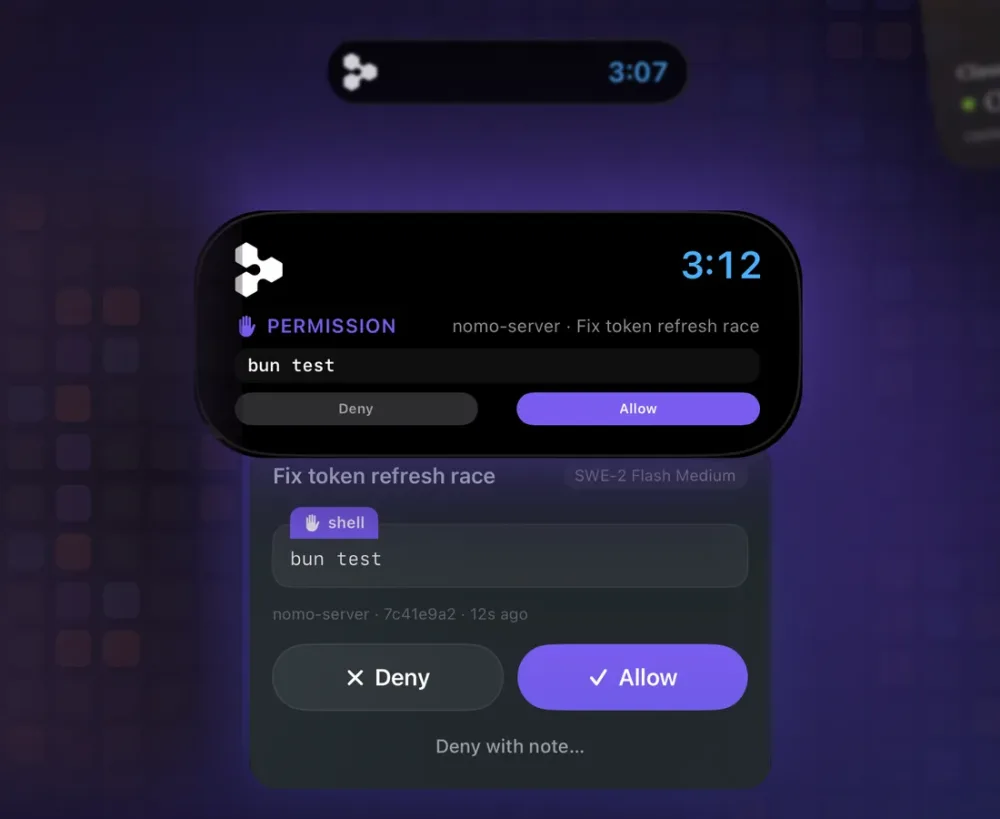
The clip at the top is a real Devin CLI session, followed live on the iPhone. It's on X too:
Karrix @karrixthediv · Nov 20, 2026 Running the Devin CLI on a Mac while its session shows up live in the Dynamic Island. View the post on X →Devin's questions reach the phone too: choose Answer…, pick an option or type your own, and tap Submit. On your Mac, the question then shows as rejected with your answer next to it. That's expected: Nomo sends your answer as the reason, and Devin reads it and carries on. Interrupt (Nomo Pro) stops a running session when your iPhone and Mac share a network.
What it doesn't do: Devin Cloud sessions, and so Bots, don't appear in Nomo. For those, use iMessage, Slack or the web app.
Devin's daily and weekly limits on your iPhone, free#
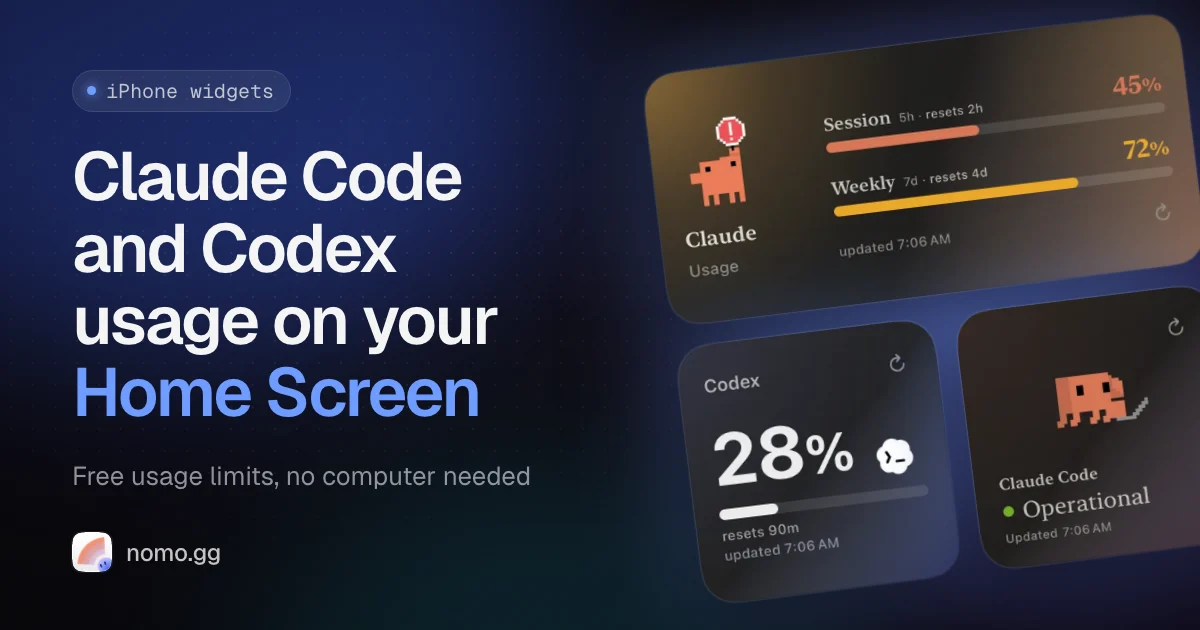
Nomo also shows Devin's status and your plan's limits, with no Pro and no computer needed. Open Providers → Devin → Usage → Connect Devin account, sign in on Devin's own page, and Nomo shows your Daily and Weekly bars with the time each one resets. It can alert you at 70%, 90% and 100%. Your sign-in stays in your iPhone's keychain and goes only to Cognition.
Status covers Devin's five services, from Cloud Agent to Desktop Agent, with push alerts when one goes down and when it comes back. On Max, a Bot spends that same allowance first, so the bars also tell you how much of today a busy Bot has left you (Devin usage in the docs).
Where Nomo fits#
If you run Devin Bots, iMessage and Slack are your phone. Nomo doesn't replace them and doesn't show cloud sessions. If you run the Devin CLI or Devin Desktop on your Mac and want to answer it from the Lock Screen instead of walking back to the desk, that's what Nomo is for.
Status, usage and pairing one computer are free. Sessions, approvals, questions and Interrupt are Nomo Pro, $4.99 a month or $34.99 a year, billed by Apple. It needs iOS 18 or later, Nomo 2.5.0, and plugin 2.5.0 on the Mac. There's no account, and session updates are end-to-end encrypted, so Nomo's server only relays data it can't read.
Get Nomo on the App Store, then follow using Devin with Nomo in the docs. Running Claude Code too? The same phone covers it:
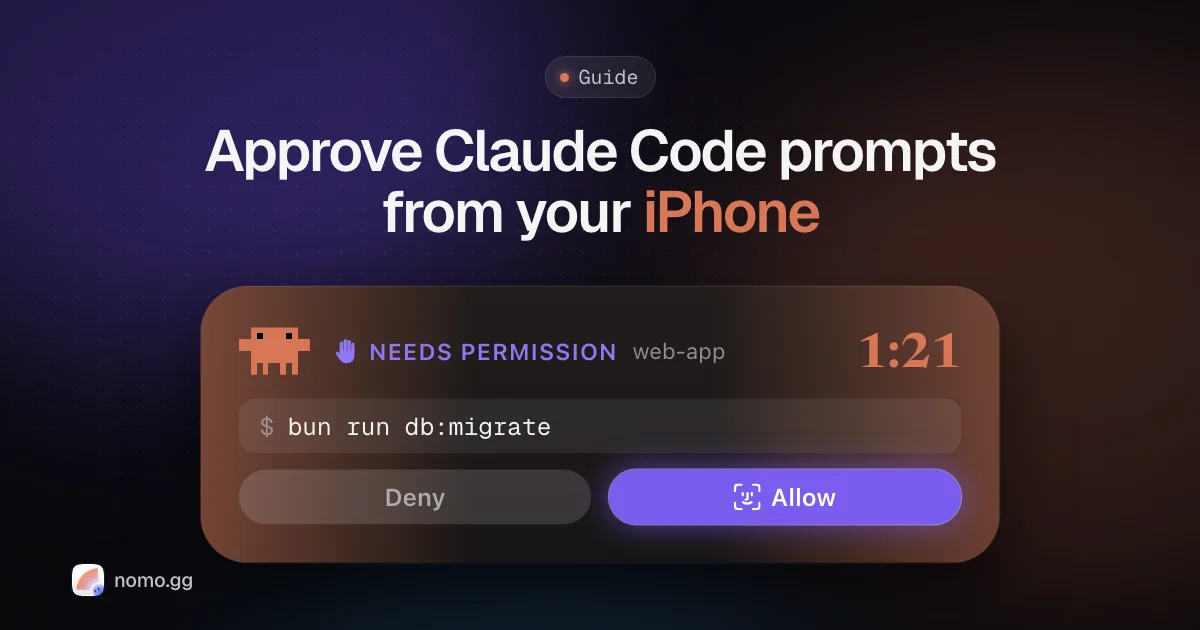 Keep readingHow to approve Claude Code from your iPhoneApprove Claude Code permission prompts from your iPhone: Remote Control, SSH + tmux, or the Lock Screen with Nomo. Plus Codex, OpenCode and Cursor.
FAQ#
Are Devin Bots free?
No. As of November 2026, Devin's pricing page lists Devin Bots on Max ($200 a month), Teams and Enterprise, not on Free or Pro. There's no separate Bot price: a Bot's chat and every session it starts count toward its creator's plan usage.
Can I text a Devin Bot from my iPhone?
Yes, in iMessage. Open the Bot's iMessage settings page, send the text it prepares (or scan its QR code with your iPhone), then text the Bot like a person. You can link one Bot at a time, and iMessage isn't available on Enterprise plans.
Do Devin Bots run on my Mac?
No. A Bot starts a child session for each piece of work, each on its own cloud machine. Your local Devin CLI and Devin Desktop sessions are separate, and Bots don't need your Mac to be on.
Is there a Devin app for iPhone?
Not one you can download yet. Devin Mobile is a waitlist at devin.ai/mobile as of November 2026. Today you can add the Devin web app to your Home Screen from Safari, text a Bot in iMessage, or use Nomo for the Devin CLI and Desktop on your Mac.
Can I approve Devin CLI permission prompts from my phone?
Yes, with Nomo Pro and Nomo plugin 2.5.0 on your Mac. You get Allow, Always allow … (this session), Deny and Deny with note…, and you can answer Devin's questions. If your phone doesn't answer in time, Devin asks on your Mac instead.