Claude usage limit reset: the 5-hour and weekly windows
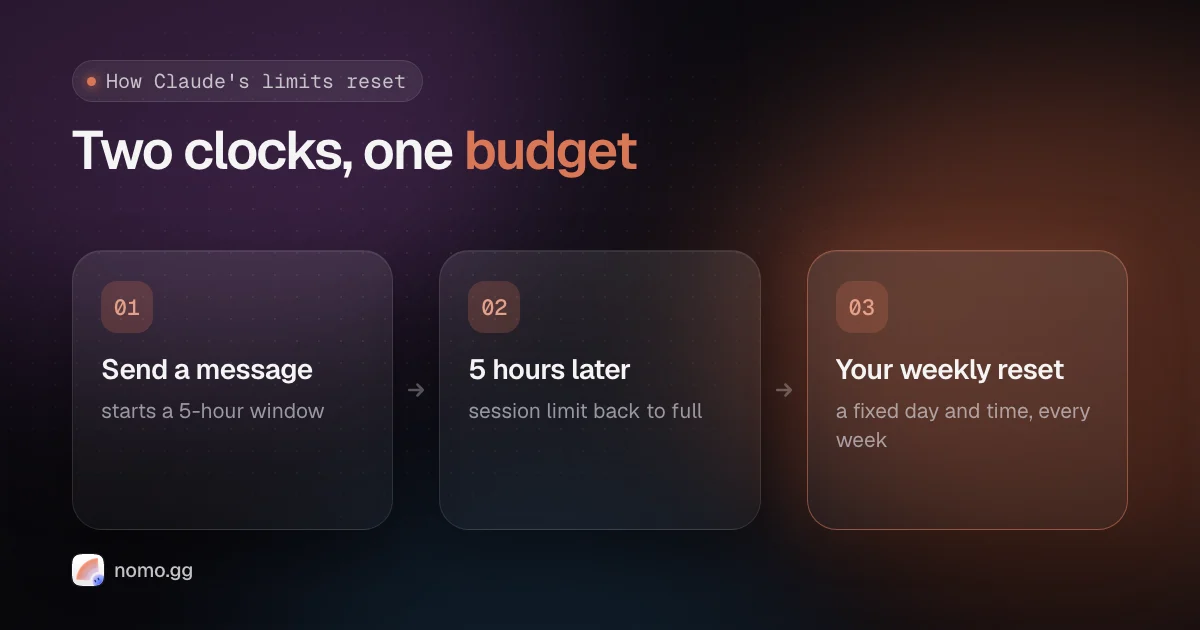
Your Claude usage limit resets on two clocks. The 5-hour session limit starts with your first message and resets in full five hours later. The weekly limit resets at a fixed day and time assigned to your account, which you can see in Settings → Usage. As of November 2026, Max and Ultra also have a separate weekly limit for Fable, and verified Ultra accounts have no 5-hour limit at all.
Below: how each window works, what each plan gets, where to see what's left, and what to do when you hit one.
How Claude's usage limits work#
Claude meters how much work you do, not how many messages you send. Most paid plans have two limits at once: a session limit that resets every five hours and a weekly limit that resets once a week (Anthropic's usage limits article).
What uses it up: the length of the conversation, attached files, tools like web search and Research, the model, and the effort level. Anthropic doesn't publish message counts. Plans are described as multiples of Pro instead.
Everything shares one budget. claude.ai, Claude Code, Claude Desktop and the Claude Code IDE extensions all draw from the same limits, so a long chat in the browser eats into tonight's coding session.
Both windows count at the same time, too. Anthropic's Claude Code docs warn that one heavy burst, such as a large workflow fanout, "can exhaust the weekly allowance before the session window resets."
When does the Claude 5-hour limit reset?#
Five hours after the message that started the window, in full. It isn't on the hour and it isn't at midnight. Send your first message at 9:10 and the window resets at 14:10. Your next message after that starts a new one.
You can see how much you've used and the time left under Current session in Settings → Usage. In Claude Code, hitting it looks like this:
You've hit your session limit · resets 3:45pm
The Free plan has a session limit that resets every five hours as well.
When does the weekly limit reset?#
At a fixed day and time each week that Anthropic assigns to your account. It doesn't depend on when you subscribed or when you started using Claude that week, and you get the full allowance each cycle. Settings → Usage shows the next reset. In Claude Code:
You've hit your weekly limit · resets Mon 12:00am
The weekly limit covers every model, so switching models doesn't get you back in. Your only ways forward are the reset time, a limit reset, usage credits or a bigger plan (more on those below).
The separate weekly limit for Fable#
On Max and Ultra, Fable models can use up to 50% of your weekly limit. That's a cap inside your weekly limit, not extra on top of it. Fable draws from the same weekly budget as every other model and burns through it faster (Anthropic's Fable article).
When you reach the Fable cap you can switch to another model and keep working within your plan, or keep using Fable on usage credits.
On Pro, Fable 5 and Fable 5.1 aren't part of the plan's limits at all. They run on usage credits from the first message. That changed when Anthropic's Fable 5 promotion ended on July 19, 2026.
Claude usage limits by plan (November 2026)#
Here's what each individual plan gets, from Anthropic's help center as of November 2, 2026. Prices are monthly, for web subscriptions, and the weekly column is the limit that covers all models.
| Plan | 5-hour | Weekly |
|---|---|---|
| Free ($0) | Yes | Not published |
| Pro ($20) | Yes | Baseline |
| Max ($100) | Yes, 5× Pro | 5× Pro, plus Fable cap |
| Ultra ($200) | None once verified | 10× Pro, plus Fable cap |
Ultra is what Max 20x became on October 30, 2026. Existing Max 20x subscribers moved over automatically at the same price (What is the Ultra plan?). It gets 10 times Pro's usage every week, and no 5-hour limit once the account is verified.
Verification is automatic, based on things like account and payment history. Until then a temporary limit applies, and verifying your phone number at checkout doesn't remove it. To check, open Settings → Usage: no Current session bar means you're verified.
Anthropic says it may adjust limits at its discretion, so treat the table as a snapshot.
How to check how much Claude usage you have left#
Three places, all reading the same numbers:
- claude.ai → Settings → Usage: the current session bar, your weekly bars and when each resets.
- Claude Code: run
/usagefor your plan's usage bars. Before a window runs out it also warns you, as inYou've used 85% of your session limit · resets 3:45pm. - Claude Desktop: click the usage ring next to the model picker.
Can you reset your Claude usage limit early?#
Only with a limit reset from Anthropic, or by upgrading.
Anthropic gives limit resets to eligible plans now and then. Depending on the reset, it refills either your 5-hour session limit or your weekly limit right away, and you can use it before you hit the limit. It doesn't move your weekly reset day: the weekly limits still reset at their usual time.
Unused resets expire. If yours has an expiry date, Settings → Usage shows it, and once you use a reset you can't undo it.
The Reset for free button is in the Resets section of Settings → Usage, on the web or in Claude Desktop. It isn't in the mobile app or in Claude Code, but limits are shared across your account, so the refill applies in Claude Code and on mobile too. Anthropic's article on limit resets has the details.
What to do when you hit a Claude usage limit#
You have five options, roughly in order of cost:
- Wait for the reset. The message tells you when. In Claude Code v2.1.234 or later, an interactive session waits in place and picks the task back up after the reset (
Continuing automatically at 3:45pm · Esc to cancel). Keep the session open. - Switch off Fable if the Fable cap is the one you hit. Any other model keeps working within your plan.
- Use a limit reset if Anthropic has given you one, as described above.
- Turn on usage credits. Once a limit is used up, requests switch to pay-as-you-go at standard API rates, up to a monthly spend limit you set (usage credits). In Claude Code, run
/usage-credits(it used to be/extra-usage). - Upgrade. A bigger plan's limits apply right away.
Where Nomo fits#
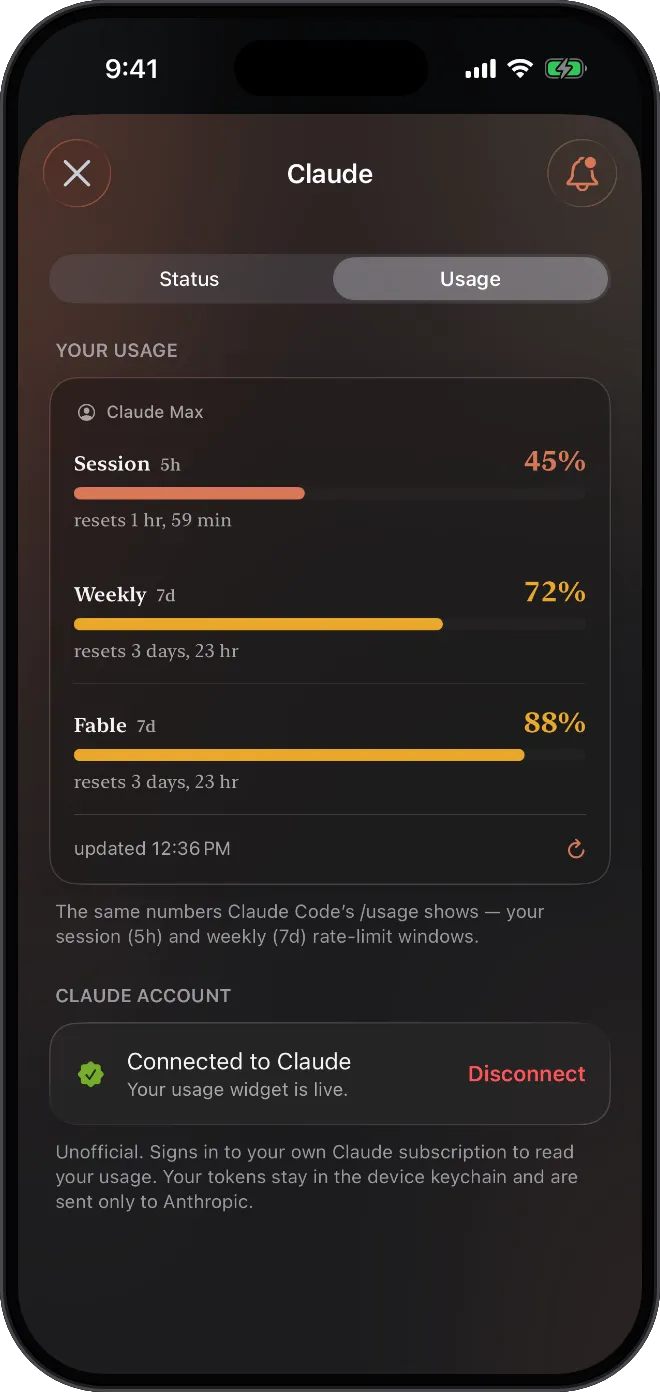
If you'd rather not open Settings to find out where you stand, Nomo puts your Claude usage on a Home Screen widget: the 5-hour window, the weekly one and when each resets. It can also alert you at 70%, 90% and 100% of each window, so a long afternoon and a heavy week each get their own warning. Since version 2.3.6 the card shows your plan (Claude Pro, Max or Ultra), and on a plan with no 5-hour limit the medium widget shows your weekly limit and your top model's, such as Fable. Usage widgets and alerts are free with no account, and the numbers are fetched and computed on your iPhone, with your Claude sign-in kept in the device keychain.
Get Nomo on the App Store, then see tracking your plan usage and usage alerts in the docs. If you run long Claude Code tasks, you can also approve Claude Code from your iPhone with Nomo Pro.
FAQ#
Does Claude Code have its own usage limit?
No. On Pro, Max and Ultra, Claude Code shares the same session and weekly limits as claude.ai and Claude Desktop. If ANTHROPIC_API_KEY is set on your computer, though, Claude Code bills that API key instead of your plan.
Does Claude Ultra really have no 5-hour limit?
For verified accounts, yes, as of November 2026. The weekly limits still apply, including the one for Fable. New accounts get a temporary limit until Anthropic verifies them automatically: if Current session is missing from Settings → Usage, you're verified.
Can I reset my Claude usage limit early?
Only with a limit reset from Anthropic (Reset for free under Settings → Usage, on the web or in Claude Desktop) or by upgrading. Usage credits keep you working, but they don't reset the limit.
Does switching models help when I hit a limit?
Not for the session or weekly limit, which cover every model. It does help with the Fable weekly limit on Max and Ultra: switch to another model and you keep working within your plan.
Do the monthly API credits on Max and Ultra pay for going over?
No. Those credits are for the Claude API in your own apps. They can't be used in Claude, Claude Code or Claude Cowork, and they don't count as usage credits.